How to Use OmniRush for Free
Updated 30 October 2026.
In short: OmniRush is a free AI coding agent that runs as a desktop app and as a command-line tool. It uses three OpenAI models: GPT 6 Astra (the default), GPT 6.1 Sol and GPT 6 Sol. There is no card and no paid tier. Each account gets a daily token allowance under a weekly cap, and that one allowance is shared by every model, the app and the command-line tool. In exchange, you accept a data agreement that lets OmniRush use your sessions to train AI models.
What you need
- A GitHub account that is at least 7 days old. Sign-up checks it.
- A Discord account, if you want the tokens that a linked Discord account adds.
- Windows (x64), a Mac with Apple silicon, or Linux (x64 or arm64). For the command-line tool, Node.js 22.19 or newer.
How the free allowance works
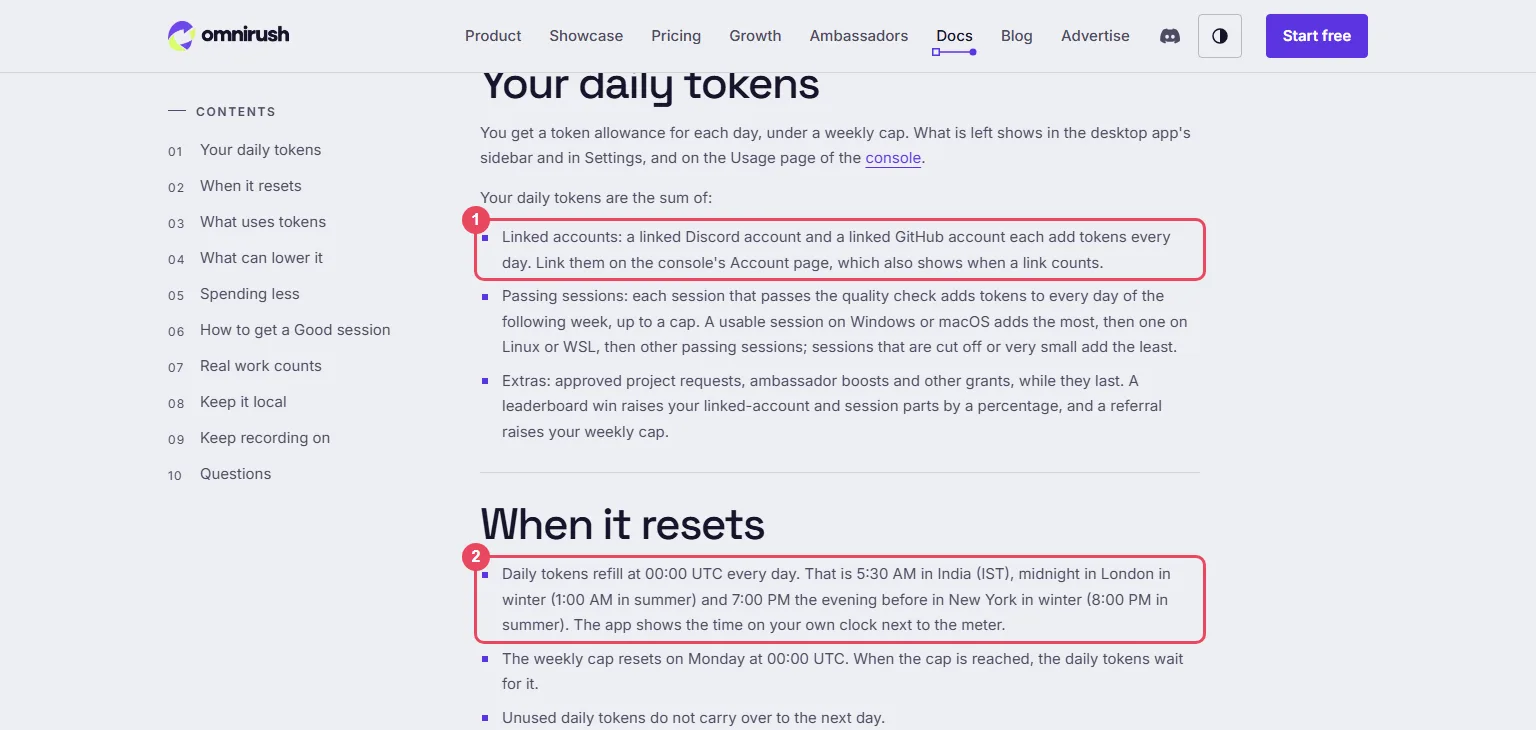
OmniRush does not give each model its own quota. The console's Usage page says the daily tokens and the bonus pot are "shared by the desktop app, the command-line tool and every model". The allowance guide explains that your daily tokens are the sum of linked accounts, passing sessions and extras. The amounts below are what the console's Usage page shows for a new account, read on 30 October 2026:
| Source | Tokens it adds | How long |
|---|---|---|
| Linked Discord account | 5M a day | While linked |
| Linked GitHub account with a public repository | 5M a day | While linked |
| Each session that passes the quality check | 5M a day, up to 50M | 7 days after it passes |
| Each approved project request | 5M a day | 30 days |
| Weekly cap | 70M a week for a new account | Resets Monday 00:00 UTC |
- Daily tokens refill at 00:00 UTC. Unused tokens do not carry over to the next day.
- When the weekly cap is reached, the daily tokens wait for it to reset. A referral raises the cap.
- The bonus pot holds one-time tokens (sign-up tokens, refunds, prizes). It is spent only after the day's tokens or the weekly cap run out.
The "14B tokens a day" on the home page and the "260B+ tokens served" on the Growth page are totals across all users, not one account's allowance.
Step 1: Create your account
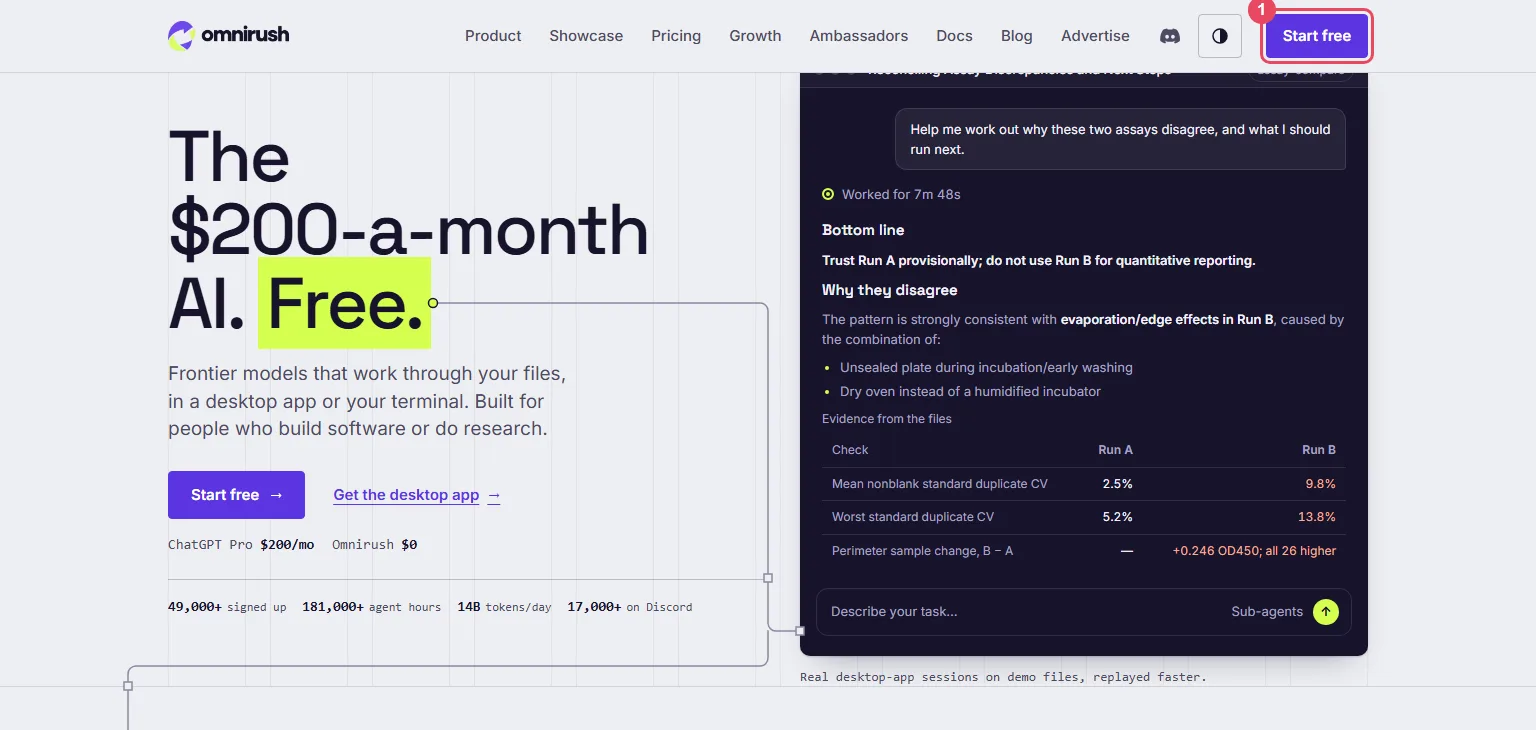
Open omnirush.ai and click Start free (box 1). Create your account and connect your GitHub account. If it qualifies, access is immediate; a few sign-ups wait for a manual review.
Before you start, OmniRush asks you to accept its data agreement. Its Privacy Policy
covers chats, agent sessions, workspace snapshots and project uploads; what it collects may be used to
train and evaluate AI models and may be shared with research and model-development partners. Credential
files such as .env are left out of uploads unless they were committed to git. Do not open folders that
hold private or client data.
Step 2: Link Discord and GitHub
In the console, open the Account page and link your Discord account. Linking GitHub adds its 5M a day only when your GitHub account has a public repository. If it has none, add one on GitHub, then click Connect again in the console so it checks again.
Step 3: Install the desktop app or the command-line tool
One account works in both. The downloads are at the bottom of the home page, and the docs cover first-run warnings.
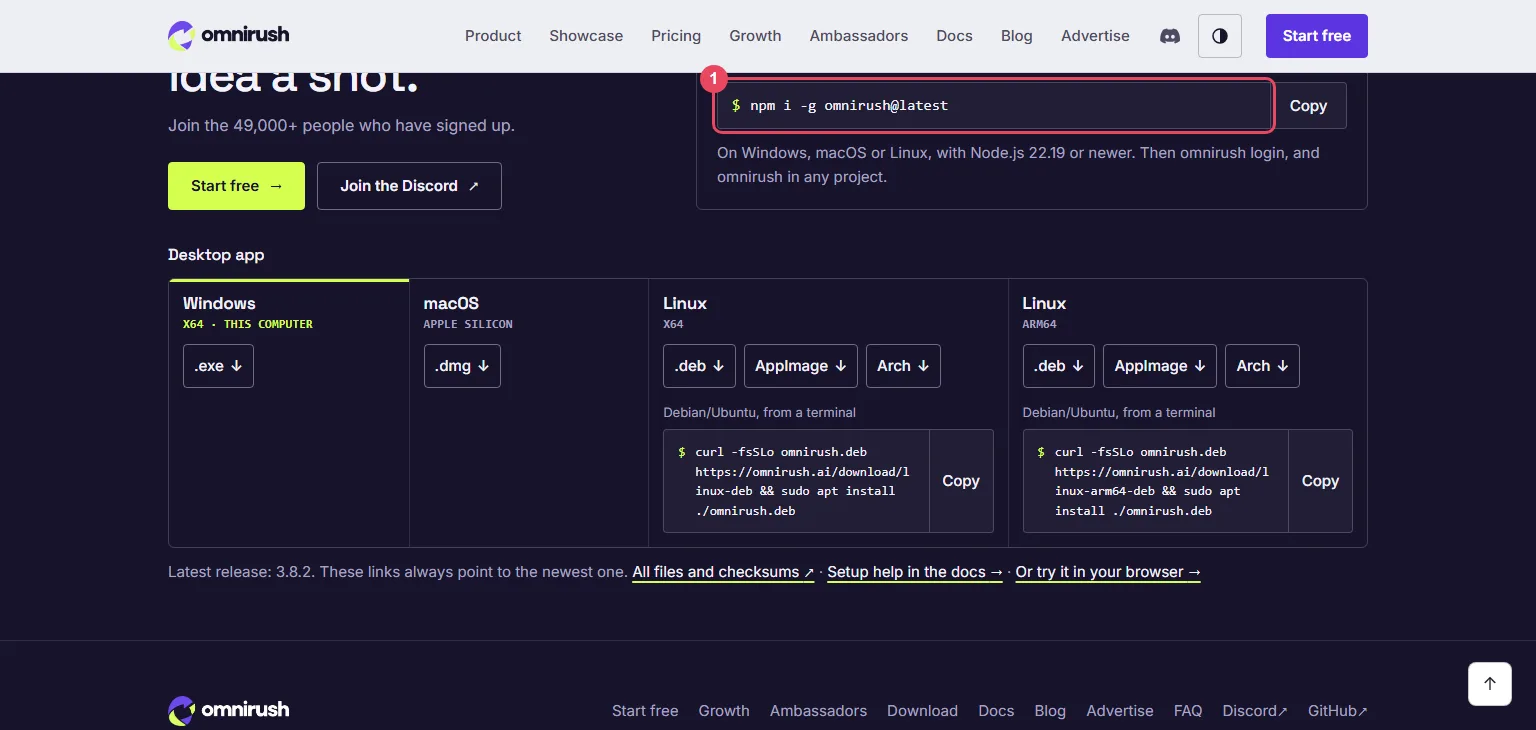
Desktop app:
- Windows: run
omnirush-win-x64-<version>.exe, then open OmniRush from the Start menu and sign in. If SmartScreen stops it, click More info, then Run anyway. - Mac: open the
.dmgand move OmniRush to Applications. If macOS blocks it, open System Settings → Privacy & Security and click Open Anyway. - Linux: use the AppImage (
chmod +xit, then run it), the.deb(sudo apt install ./omnirush-linux-*.deb) or the Arch package (sudo pacman -U omnirush-linux-*.pacman).
Command-line tool (box 1), on Windows, macOS or Linux:
npm i -g omnirush@latest
omnirush login
Then open a terminal in your project folder and run omnirush. If something does not start,
omnirush doctor checks the setup.
Step 4: Pick a model and start a task
No API key is needed: your OmniRush account signs you in. Every chat starts on GPT 6 Astra, and you can switch in the desktop app or the command-line tool:
| Model | Model ID | Reasoning effort |
|---|---|---|
| GPT 6 Astra (default) | gpt-6-astra | low, high, xhigh, max |
| GPT 6.1 Sol | gpt-6.1-sol | low, high, xhigh, max |
| GPT 6 Sol | gpt-6-sol | low, high, xhigh, max |
In the desktop app, open a project folder and describe the task. Ask for a swarm in the task to run several agents on it at once. What is left of today's tokens shows in the sidebar, in Settings and on the console's Usage page.
Spend fewer tokens
Every step the agent takes sends the conversation again: your message, earlier turns, the files it reads and its answer. Cached earlier turns count at a quarter of their size; reasoning counts in full.
- Start a new session for each new task.
- Use a lower reasoning effort for small changes.
- Point the agent at the files that matter instead of the whole project.
- Keep session recording on: a session that is not recorded is paused, and sessions that are off track (most tool calls failing, nothing changed) cost more.
When something goes wrong
| What you see | What it means | What to do |
|---|---|---|
| Sign-up refused | The GitHub account is newer than 7 days | Wait until it is 7 days old |
| GitHub "needs a public repository" | No public repository on the linked account | Add one, then click Connect again in the console |
| Tokens run out early | The day's allowance or the weekly cap is used | Wait for 00:00 UTC, or Monday for the weekly cap |
| Session paused | Recording is off or the app is out of date | Update OmniRush or turn recording on, then start a new session |
Words to know
- Token: a piece of a word; the unit models read and write. See tokens and context windows.
- Weekly cap: the most tokens an account can use in a week, whatever its daily total.
- Passing session: a session that passes OmniRush's quality check and adds daily tokens for a week.
- Reasoning effort: how long the model thinks before answering; higher effort uses more tokens.
More free AI
A local gateway that pools your own free provider accounts: how to use OmniRoute. Free API keys with daily limits: how to get AI API keys for free. Free models for coding tools: free AI API for coding.
Frequently asked questions
Is OmniRush free?+
Yes. Every account gets a daily token allowance under a weekly cap, with no card and no paid tier. In exchange you accept a data agreement that lets OmniRush use your sessions to train and evaluate AI models.
How many free tokens does OmniRush give?+
On a new account in October 2026 the console shows 5M a day for a linked Discord account, 5M a day for a linked GitHub account with a public repository, and 5M a day for each passing session up to 50M, under a 70M weekly cap. Daily tokens refill at 00:00 UTC.
Does each OmniRush model have its own token limit?+
No. The console says the daily tokens and the bonus pot are shared by the desktop app, the command-line tool and every model.
Which models does OmniRush use?+
GPT 6 Astra (the default), GPT 6.1 Sol and GPT 6 Sol, each with reasoning effort low, high, xhigh or max.
How do I install the OmniRush CLI?+
With Node.js 22.19 or newer, run npm i -g omnirush@latest, then omnirush login, then omnirush in your project folder. omnirush doctor checks the setup.
More free API key tutorials
- How to get a Gemini API key for free
- How to get a Groq API key for free
- How to get a Cloudflare Workers AI API key for free
- How to get a Cohere API key for free
- How to get an OpenRouter API key for free
- How to get an Experimental Labs API key for free (with the $1 verification)
- How to get a Requesty API key for free
- How to use Kilo Code free models (no API key)
- How to get an LLM7 API key for free
- How to use a free AI API without an API key
- How to get an Ollama API key for free
- How to get a Gonka AI API key for free
- How to get a Perplexity API key for free
- Where Qwen is free
- Where Mistral models are free
- The Grok API, checked on a new account
- Where DeepSeek models are free
- Where GLM models are free
- Where OpenAI models are free
- Every free AI API and its daily limit
By model: DeepSeek · OpenAI (GPT) · Claude · Grok · Perplexity · Mistral · Kimi · Qwen · GLM · MiniMax · Llama · Nemotron · Gemma · gpt-oss
Want to use these APIs in a desktop app? OpenCode is a free, open-source AI coding app for Windows, Mac and Linux. How to add free API keys to OpenCode and pick a model.