How to Use OmniRoute, the Free AI Gateway
Updated 30 October 2026.
In short: OmniRoute is a free, open-source (MIT) AI
gateway that runs on your own computer. You connect the AI providers you have accounts or API keys for,
and OmniRoute gives your coding tools one endpoint, http://localhost:20128/v1, that routes each
request to a connected provider and falls back to another when one hits its limit. OmniRoute does not
hand out tokens itself: the free usage comes from the providers' own free tiers.
What you need
- Node.js and npm, or Docker.
- At least one AI provider account or API key. Free options with daily limits are listed in how to get AI API keys for free, for example an OpenRouter key or a Gemini key.
- A coding tool that accepts an OpenAI-compatible base URL, such as Claude Code, Codex CLI, Cline, Kilo Code, OpenCode, Aider or Continue.
How the free usage works
The README puts the combined free tiers at about 1.62B tokens a month, and states plainly that this is "an estimated aggregate across separately eligible third-party free tiers, not a token grant from OmniRoute". You only get the parts whose providers you sign up for and connect, and each provider sets its own limits and terms. Read on 30 October 2026:
| Figure from the README | What it means |
|---|---|
| 375 providers, 153 marked free | Providers OmniRoute can route to; free ones still need your account where they require it |
| ~1.62B tokens a month | Sum of 17 free pools with a published monthly budget plus five Groq per-model caps, each shared pool counted once |
tos: avoid | Providers whose terms carry risk; they are left out of auto routing by default |
The dashboard's Free tiers page (/dashboard/free-tiers) shows what is used and left for the
providers you connected.
Step 1: Install OmniRoute from npm and start it
Open a terminal and run (box 1):
npm install -g omniroute
omniroute
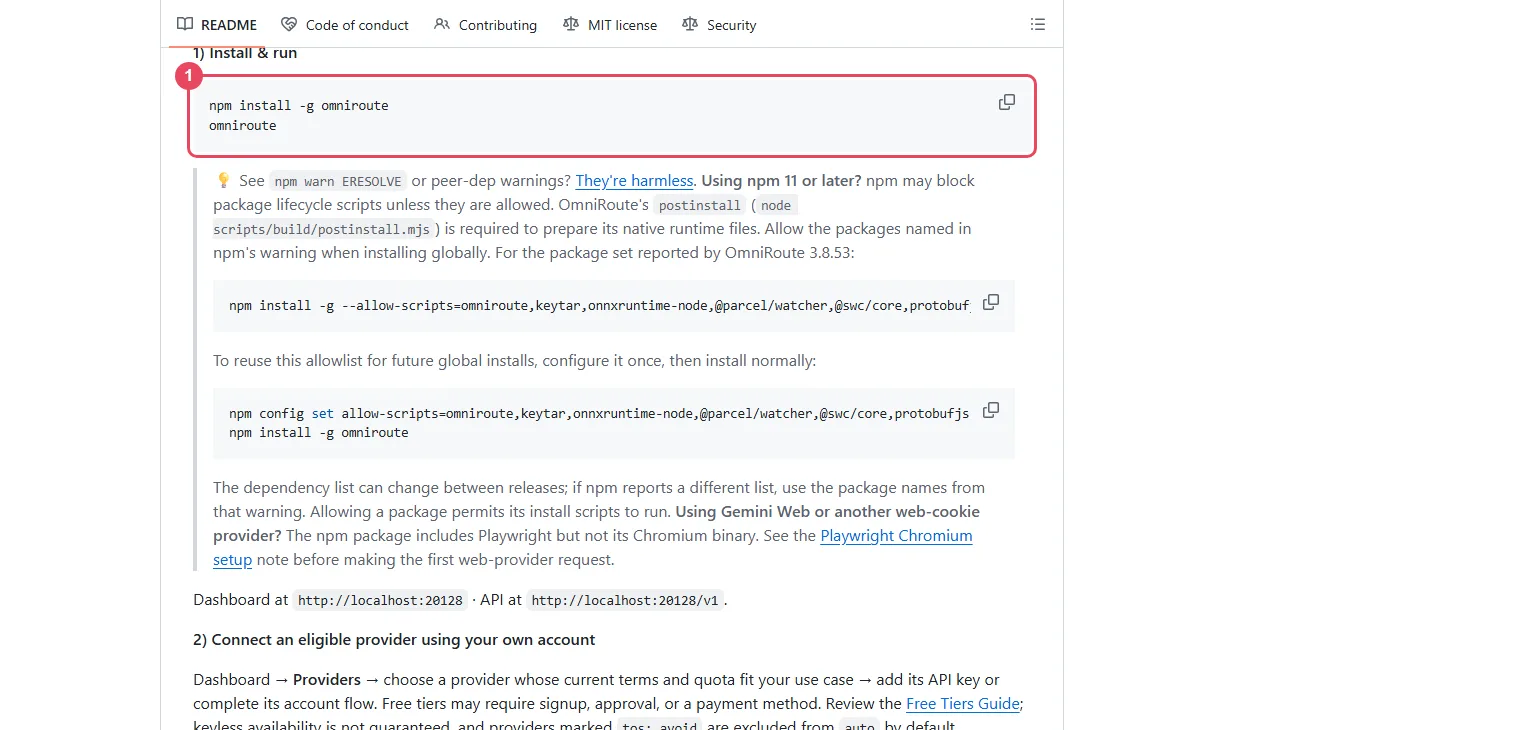
The dashboard opens at http://localhost:20128 and the API is at http://localhost:20128/v1. Run
omniroute setup instead for a guided first-run wizard.
Two install notes from the README:
npm warn ERESOLVEand peer-dependency warnings are harmless.- npm 11 or later may block install scripts that OmniRoute needs. Allow the packages npm names in its
warning, with
npm install -g --allow-scripts=<names from the warning> omniroute.
With Docker instead of npm:
docker run -d --name omniroute --restart unless-stopped --stop-timeout 40 \
  -p 127.0.0.1:20128:20128 -v omniroute-data:/app/data diegosouzapw/omniroute:latest
The Docker image is set to 1 GB of memory, which the README sizes for the dashboard and light chat. For
a coding agent it gives -e OMNIROUTE_MEMORY_MB=8192 --memory=10g.
Step 2: Connect a provider
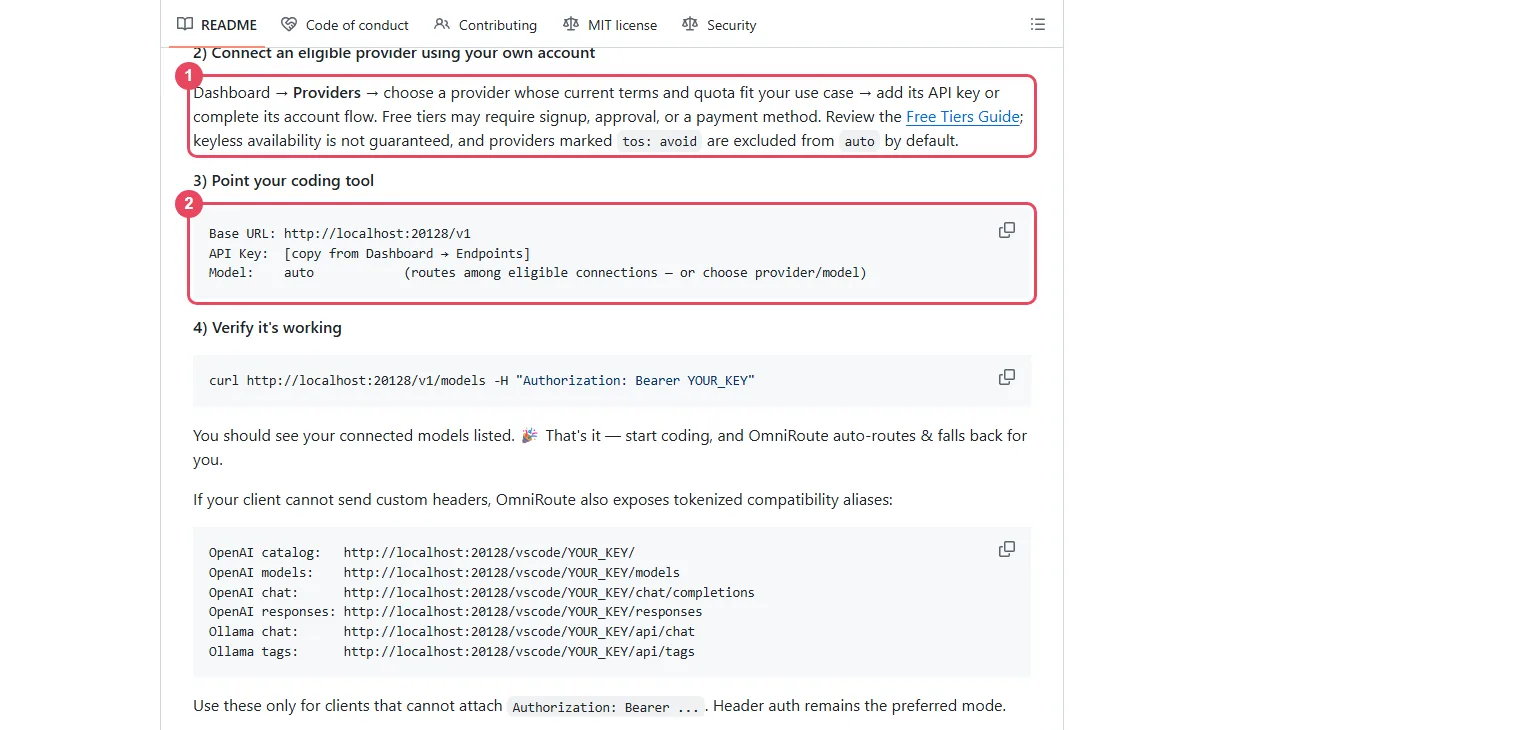
In the dashboard, open Providers (box 1 below), choose a provider, and add its API key or complete its account sign-in. Some free tiers need a sign-up, an approval or a payment method; the Free Tiers Guide lists each one. Your keys stay on your computer, stored encrypted.
Step 3: Use OmniRoute with Claude Code, Codex or OpenCode
Copy your OmniRoute API key from Dashboard → Endpoints, then set these three values in your tool (box 2):
| Setting | Value |
|---|---|
| Base URL | http://localhost:20128/v1 |
| API key | the key from Dashboard → Endpoints |
| Model | auto, or a specific provider/model |
auto picks among your connected providers. Variants change what it favours:
| Model | What it does |
|---|---|
auto | Balanced default; sticks to the last provider that worked |
auto/coding | Weighs quality for code generation |
auto/fast | Lowest latency first |
auto/cheap | Cheapest per token first |
auto/subscription | Only subscription quota you already pay for; never a billable fallback |
For supported CLIs, OmniRoute can launch the tool with the settings filled in, for example
omniroute run claude --model glm/glm-5.2 or omniroute run opencode --model glm/glm-5.2.
omniroute configure codex writes the tool's own config file instead.
Step 4: Check that it works
curl http://localhost:20128/v1/models -H "Authorization: Bearer YOUR_KEY"
Replace YOUR_KEY with your OmniRoute key. The answer lists the models of the providers you connected.
A first chat request:
curl http://localhost:20128/v1/chat/completions \
  -H "Authorization: Bearer YOUR_KEY" \
  -H "Content-Type: application/json" \
  -d '{"model":"auto","messages":[{"role":"user","content":"Hello!"}]}'
When something goes wrong
| What you see | What it means | What to do |
|---|---|---|
auto finds no route | No eligible provider is connected yet | Connect a provider in Step 2; a fresh install can have none |
| A connected provider is never used | It is marked tos: avoid | Call it by its provider/model name, or pick another provider |
| Install fails on npm 11 | npm blocked the install scripts | Reinstall with --allow-scripts and the names from npm's warning |
| Coding agent crashes in Docker | Not enough memory for the container | Raise OMNIROUTE_MEMORY_MB and --memory as in Step 1 |
Words to know
- Gateway: one API that passes your request on to many model providers.
- Endpoint: the address a tool sends its requests to, here
http://localhost:20128/v1. - Fallback: when one provider fails or hits its limit, the request goes to the next one.
- API key: the password that identifies your program to an API. See what is an API key.
More free AI
A free coding agent with its own daily allowance: how to use OmniRush. Free API keys with daily limits: how to get AI API keys for free. Free models for coding tools: free AI API for coding.
Frequently asked questions
What is OmniRoute?+
An open-source (MIT) AI gateway on GitHub (cheaper-inference/OmniRoute) that runs on your own computer and serves the AI providers you connect from one OpenAI-compatible address, http://localhost:20128/v1, falling back to another provider when one hits its limit.
Is OmniRoute free?+
Yes. OmniRoute is open source under the MIT licence and runs on your own computer. The models it reaches cost whatever their providers charge; it routes to free tiers when you connect them.
Does OmniRoute give free tokens?+
No. Its README estimates about 1.62B tokens a month across third-party free tiers and calls this "not a token grant from OmniRoute". You get only the free tiers of providers you sign up for and connect.
What is the OmniRoute base URL?+
http://localhost:20128/v1, with the API key from Dashboard → Endpoints. The dashboard is at http://localhost:20128.
How do I use OmniRoute with Claude Code?+
Start OmniRoute, connect a provider, then run omniroute run claude --model provider/model, or set Claude Code to the base URL http://localhost:20128/v1 with your OmniRoute key.
What does the auto model do in OmniRoute?+
auto picks among your connected providers and falls back when one fails. auto/coding, auto/fast and auto/cheap favour quality, speed or price.
More free API key tutorials
- How to get a Gemini API key for free
- How to get a Groq API key for free
- How to get a Cloudflare Workers AI API key for free
- How to get a Cohere API key for free
- How to get an OpenRouter API key for free
- How to get an Experimental Labs API key for free (with the $1 verification)
- How to get a Requesty API key for free
- How to use Kilo Code free models (no API key)
- How to get an LLM7 API key for free
- How to use a free AI API without an API key
- How to get an Ollama API key for free
- How to get a Gonka AI API key for free
- How to get a Perplexity API key for free
- Where Qwen is free
- Where Mistral models are free
- The Grok API, checked on a new account
- Where DeepSeek models are free
- Where GLM models are free
- Where OpenAI models are free
- Every free AI API and its daily limit
By model: DeepSeek · OpenAI (GPT) · Claude · Grok · Perplexity · Mistral · Kimi · Qwen · GLM · MiniMax · Llama · Nemotron · Gemma · gpt-oss
Want to use these APIs in a desktop app? OpenCode is a free, open-source AI coding app for Windows, Mac and Linux. How to add free API keys to OpenCode and pick a model.